XFCE で Firefox が起動しない(X 認証エラー)対処メモ
XFCE で Firefox が起動しない(X 認証エラー)対処メモ
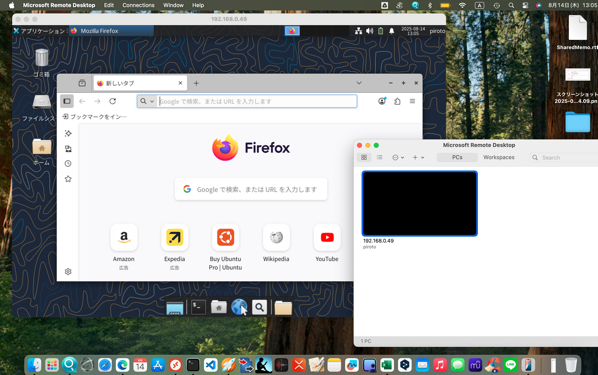
現象:ランチャーから Firefox が起動せず、ターミナルからは起動する。エラーは次の通り。
Authorization required, but no authorization protocol specified
Error: cannot open display: :10.0
mkdir: cannot create directory ‘/run/user/0’: Permission denied
原因の要点
- XAUTHORITY(X11 認証トークン)と DISPLAY がランチャー実行時に正しく設定されていない。
- シェルの設定(
~/.bashrcなど)が GUI ランチャーには読み込まれないことがある。 - root では
/run/user/0の作成や X 認証の問題が起きやすい(GUI は一般ユーザーで実行推奨)。
確認コマンド
echo $DISPLAY
echo $XAUTHORITY
ls -l ~/.Xauthority
解決手順(接続方式別)
1) xrdp(/etc/xrdp/startwm.sh 経由)
最も確実に反映させるには、起動スクリプトに直接書く。
sudo nano /etc/xrdp/startwm.sh
以下を exec /etc/X11/Xsession の前あたりに追記
export XAUTHORITY=/home/piroto/.Xauthority
必要に応じて(例)
export DISPLAY=:10.0
sudo systemctl restart xrdp
2) lightdm(多くの XFCE ローカルログイン)
ユーザーの X セッションで読み込まれる ~/.xsessionrc に設定。
echo ‘export XAUTHORITY=/home/piroto/.Xauthority’ >> ~/.xsessionrc
ログアウト → 再ログイン
3) ローカルログイン / 一部 VNC
ログインシェル全般で読み込まれる ~/.profile に設定。
echo ‘export XAUTHORITY=/home/piroto/.Xauthority’ >> ~/.profile
ログアウト → 再ログイン
メモ:
~/.bash_profile は通常 GUI/非ログインシェルでは読み込まれません。GUI 反映は ~/.xsessionrc または ~/.profile へ。アプリ単位の回避策(ランチャーに直接指定)
Firefox の .desktop をユーザー側にコピーし、Exec= を書き換え。
cp /usr/share/applications/firefox.desktop ~/.local/share/applications/
xdg-open ~/.local/share/applications/firefox.desktop
Exec 行の例:
Exec=env XAUTHORITY=/home/piroto/.Xauthority DISPLAY=:10.0 firefox %u
(参考)root での GUI 実行は非推奨
- 一般ユーザーでの実行を推奨。
- どうしても root が必要なら、一般ユーザー側で一時的に許可:
xhost +SI:localuser:root
sudo -E env DISPLAY=:10.0 XAUTHORITY=/home/piroto/.Xauthority firefox
(参考)一時的/恒久的に CUI 起動へ切り替え
- 一時的(GRUB で
systemd.unit=multi-user.target追加) - 恒久的:
sudo systemctl set-default multi-user.target
戻すとき
sudo systemctl set-default graphical.target
最終チェック
# 環境変数を明示して起動テスト
env XAUTHORITY=/home/piroto/.Xauthority DISPLAY=:10.0 firefox –new-window about:support
このメモは、XFCE + Firefox での「Authorization required / cannot open display」問題を短くまとめたものです。環境によりパスや DISPLAY 番号は読み替えてください
。