Android Fragmentを動的に作成するサンプル
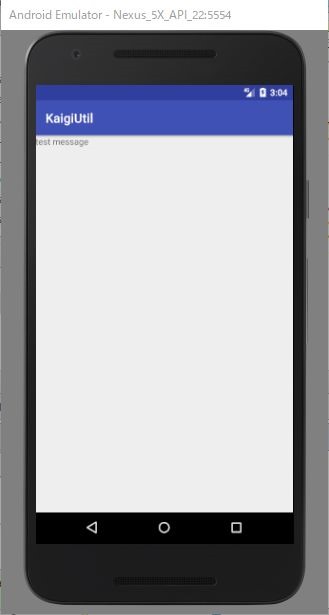
静的に定義した、Fragment を動的に追加するよう、変更する。https://github.com/pppiroto/KaigiUtil/tree/92bb627ae2256e10008f17b501f022a75806c13c
1.Activity
Fragmentを配置するレイアウト
1.1 レイアウト
<?xml version="1.0" encoding="utf-8"?>
<android.support.constraint.ConstraintLayout xmlns:android="http://schemas.android.com/apk/res/android"
    xmlns:app="http://schemas.android.com/apk/res-auto"
    xmlns:tools="http://schemas.android.com/tools"
    android:layout_width="match_parent"
    android:layout_height="match_parent"
    tools:context="info.typea.kaigiutil.ContentActivity">

    <LinearLayout
        android:id="@+id/content_fragment_container"
        android:layout_width="match_parent"
        android:layout_height="match_parent"
        android:orientation="horizontal">
    </LinearLayout>

</android.support.constraint.ConstraintLayout>
1.2 Fragmentを読み込むActivity
package info.typea.kaigiutil;

import android.os.Bundle;
import android.support.v4.app.FragmentManager;
import android.support.v7.app.AppCompatActivity;

public class ContentActivity extends AppCompatActivity {

    @Override
    protected void onCreate(Bundle savedInstanceState) {
        super.onCreate(savedInstanceState);
        setContentView(R.layout.activity_content);

        FragmentManager fragmentManager = getSupportFragmentManager();
        fragmentManager.beginTransaction()
                .add(R.id.content_fragment_container,
                    SleepDefenderFragment.newInstance("test message"))
                .addToBackStack(null)
                .commit();
    }
}
2.呼び出されるFragment
2.1 レイアウト
<FrameLayout xmlns:android="http://schemas.android.com/apk/res/android"
    xmlns:tools="http://schemas.android.com/tools"
    android:layout_width="match_parent"
    android:layout_height="match_parent"
    tools:context="info.typea.kaigiutil.SleepDefenderFragment">

    <TextView
        android:id="@+id/txt_message"
        android:layout_width="match_parent"
        android:layout_height="match_parent"
        android:text="TEST" />

</FrameLayout>
2.2 Fratment
package info.typea.kaigiutil;

import android.os.Bundle;
import android.support.annotation.Nullable;
import android.support.v4.app.Fragment;
import android.view.LayoutInflater;
import android.view.View;
import android.view.ViewGroup;
import android.widget.TextView;


public class SleepDefenderFragment extends Fragment {
    private static final String ARG_MSG = "message";

    public SleepDefenderFragment() {
    }

    public static SleepDefenderFragment newInstance(String message) {
        SleepDefenderFragment fragment = new SleepDefenderFragment();
        Bundle args = new Bundle();
        args.putString(ARG_MSG, message);
        fragment.setArguments(args);
        return fragment;
    }

    @Override
    public View onCreateView(LayoutInflater inflater, @Nullable ViewGroup container, @Nullable Bundle savedInstanceState) {
        super.onCreateView(inflater, container, savedInstanceState);
        return inflater.inflate(R.layout.fragment_sleep_defender, container, false);
    }

    @Override
    public void onViewCreated(View view, @Nullable Bundle savedInstanceState) {
        super.onViewCreated(view, savedInstanceState);
        TextView txtMessage = (TextView)view.findViewById(R.id.txt_message);
        txtMessage.setText(getArguments().getString(ARG_MSG));
    }
}