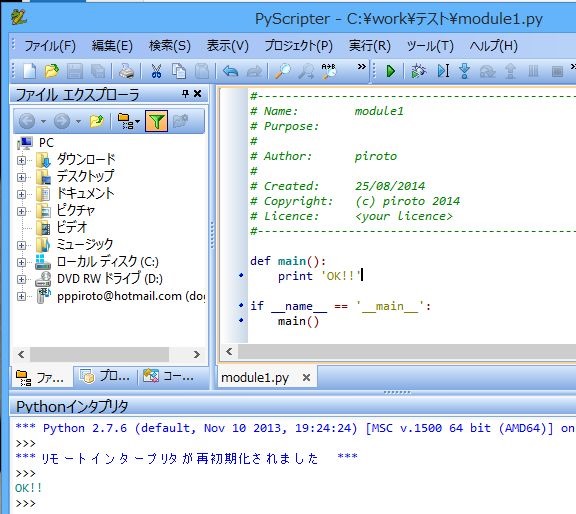
PyScripter でパスに日本語が入ったスクリプトを編集するとエラーとなる対策
WindowsでPythonを書くのに、pyScripterは非常に便利。
PyQtでツールを作り共有する場合などわかりやすさのためにディレクトリ名やスクリプト名に日本語を使うケースがある。
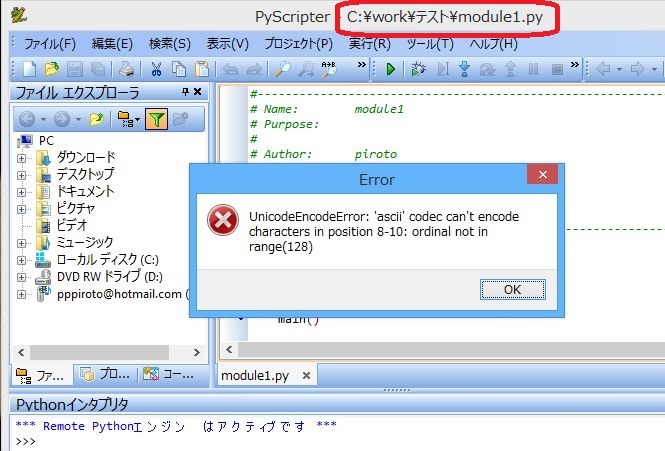
スクリプトファイル名の途中に日本語が入るとエラーとなる
UnicodeEncodeError: ‘ascii’ codec can’t encode characters in position 8-10: ordinal not in range(128)
%PYTHON_HOME%\Lib\site.py を編集
Enable to support locale aware default string encodings. の条件を 0 -> 1 に
def setencoding():
    """Set the string encoding used by the Unicode implementation.  The
    default is 'ascii', but if you're willing to experiment, you can
    change this."""
    encoding = "ascii" # Default value set by _PyUnicode_Init()
    ### ↓↓↓ ここを、0 -> 1 に変更
    if 1:
        # Enable to support locale aware default string encodings.
        import locale
        loc = locale.getdefaultlocale()
        if loc[1]:
            encoding = loc[1]
    if 0:
        # Enable to switch off string to Unicode coercion and implicit
        # Unicode to string conversion.
        encoding = "undefined"
    if encoding != "ascii":
        # On Non-Unicode builds this will raise an AttributeError...
        sys.setdefaultencoding(encoding) # Needs Python Unicode build !
OK