Flutter : 画像の切り抜き
Flutter + Firebase でアプリ作成のためのパーツあつめ。
まで、Android、iOSでの簡易動作確認ができたので、画像切り抜きパッケージ、image_cropper を試す。
1.例によってエラー対応
pub.devのimage_cropperページのExampleに従い、コードを記述し実行するが、androidx.core.widget.TintableCompoundDrawableView が存在しないエラー
I/pea.favo_phras( 6224): Rejecting re-init on previously-failed class java.lang.Class: java.lang.NoClassDefFoundError: Failed resolution of: Landroidx/core/widget/TintableCompoundDrawablesView;
I/pea.favo_phras( 6224):   at java.lang.Object java.lang.Class.newInstance() (Class.java:-2)
I/pea.favo_phras( 6224):   at android.app.Activity android.app.AppComponentFactory.instantiateActivity(java.lang.ClassLoader, java.lang.String, android.content.Intent) (AppComponentFactory.java:69)
I/pea.favo_phras( 6224):   at android.app.Activity androidx.core.app.CoreComponentFactory.instantiateActivity(java.lang.ClassLoader, java.lang.String, android.content.Intent) (CoreComponentFactory.java:43)
image_cropper のGithubのissueに同じ事象の報告および解決策情報あり。
https://github.com/hnvn/flutter_image_cropper/issues/78
build.gradle の dependencies に以下を追記
implementation ‘androidx.core:core:1.0.2’
implementation ‘androidx.appcompat:appcompat:1.0.2’
とのことだが、それだけでは解決しないため、エラーログを見ながら以下のように調整。
AndroAndroidXの互換性対応で、この手のエラー解決のコツがなんとなくつかめてきたが、、、若干不安。
dependencies {
    implementation "org.jetbrains.kotlin:kotlin-stdlib-jdk7:$kotlin_version"
    implementation 'com.google.firebase:firebase-analytics:16.0.0'
    implementation 'androidx.core:core:1.0.0'
    implementation 'androidx.appcompat:appcompat:1.1.0'
    testImplementation 'junit:junit:4.12'
    androidTestImplementation 'com.android.support.test:runner:1.0.2'
    androidTestImplementation 'com.android.support.test.espresso:espresso-core:3.0.2'
}

configurations.all {
    resolutionStrategy.eachDependency { DependencyResolveDetails details ->
        print(details.requested.group)
        if (details.requested.group ==~ /^androidx\.(core|viewpager|drawlayout|interpolator|fragment|versionedparcelable|appcompat)/
        ) {
            details.useVersion '1.0.0'
            details.because 'API needs higher versions'
        }
        if (details.requested.group == 'androidx.lifecycle'
            ) {
            details.useVersion '2.1.0'
            details.because 'API needs higher versions'
        }
    }
}
2.Flutter
上記エラー対応によって、pub.devのimage_cropperページのExampleのコードが動いた。
2.1 pubspec.yaml(/)
に以下を追記
dependencies:
    :
  image_cropper: ^1.1.0
2.2 AndroidManifest.xml(/android/app/main/res)
に以下のActivityを追加。
<application>
    <activity
        android:name="com.yalantis.ucrop.UCropActivity"
        android:screenOrientation="portrait"
        android:theme="@style/Theme.AppCompat.Light.NoActionBar"/>
</application>
2.3 ソースコード
import 'dart:convert';
import 'dart:io';

import 'package:flutter/material.dart';
import 'package:image_cropper/image_cropper.dart';
import 'package:image_picker/image_picker.dart';

class SecondRoute extends StatefulWidget {
  @override
  State<StatefulWidget> createState() {
    return _SecondRoute();
  }
}
class _SecondRoute extends State<SecondRoute>{
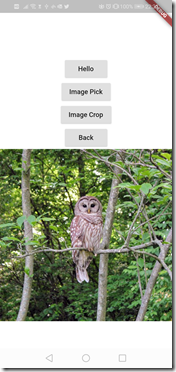
  Image _image = Image.network('https://flutter.github.io/assets-for-api-docs/assets/widgets/owl-2.jpg');

  Future _handleImageCrop(BuildContext context) async {

    var imageFile = await ImagePicker.pickImage(source: ImageSource.camera);
    var croppedFile = await ImageCropper.cropImage(
        sourcePath: imageFile.path,
        aspectRatioPresets: [
          CropAspectRatioPreset.square,
          CropAspectRatioPreset.ratio3x2,
          CropAspectRatioPreset.original,
          CropAspectRatioPreset.ratio4x3,
          CropAspectRatioPreset.ratio16x9
        ],
        androidUiSettings: AndroidUiSettings(
            toolbarTitle: 'Cropper',
            toolbarColor: Colors.deepOrange,
            toolbarWidgetColor: Colors.white,
            initAspectRatio: CropAspectRatioPreset.original,
            lockAspectRatio: false),
        iosUiSettings: IOSUiSettings(
          minimumAspectRatio: 1.0,
        )
    );
    setState(() {
      _image = Image.file(croppedFile);
    });
  }

  @override
  Widget build(BuildContext context) {
    return LayoutBuilder(
      builder: (BuildContext context, BoxConstraints viewportConstraints) {
        return SingleChildScrollView(
          child: ConstrainedBox(
            constraints: BoxConstraints(
              minHeight: viewportConstraints.maxHeight,
            ),
            child: IntrinsicHeight(
              child: Column(
                children: <Widget>[
                  Container(
                    // A fixed-height child.
                    color: const Color.fromARGB(255, 255, 255, 255),
                    height: 120.0,
                  ),
                  Expanded(
                    // A flexible child that will grow to fit the viewport but
                    // still be at least as big as necessary to fit its contents.
                    child: Container(
                      color: const Color(0xffffffff),
                      height: 240.0,
                      constraints: BoxConstraints(
                          minWidth: viewportConstraints.maxWidth,
                          minHeight: double.infinity
                      ),
                      child: Column(
                        children: <Widget>[
                          RaisedButton(
                            onPressed: () {
                              _handleImageCrop(context);
                            },
                            child: Text('Image Crop'),
                          ),
                          RaisedButton(
                            onPressed: () {
                              Navigator.pop(context);
                            },
                            child: Text('Back'),
                          ),
                          _image,
                        ],
                      ),
                    ),
                  ),
                ],
              ),
            ),
          ),
        );
      },
    );
  }

}
3.実行
3.1 Android
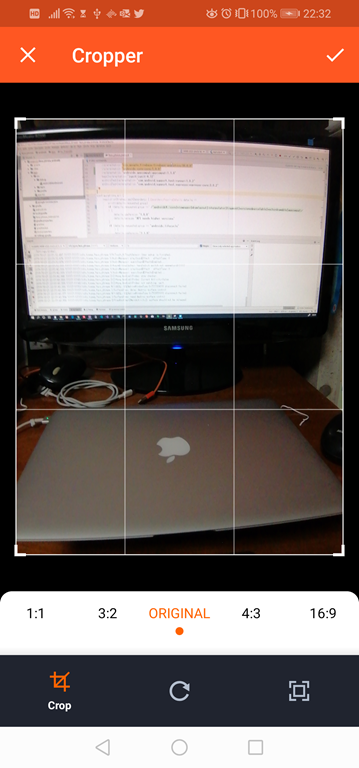
「Image Crop」ボタン押下で、_handleImageCrop() を呼び出し、画像選択 を経由(カメラを起動)して取得したファイル
var imageFile = await ImagePicker.pickImage(source: ImageSource.camera);
を、
var croppedFile = await ImageCropper.cropImage()
に引き渡す。
画像を切り抜く
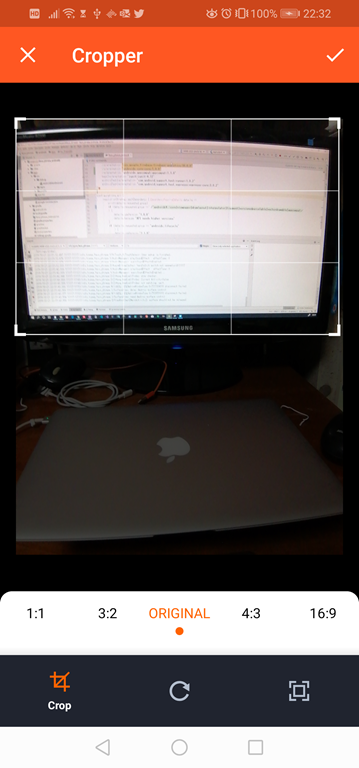
範囲を選択し、画面右上のチェック
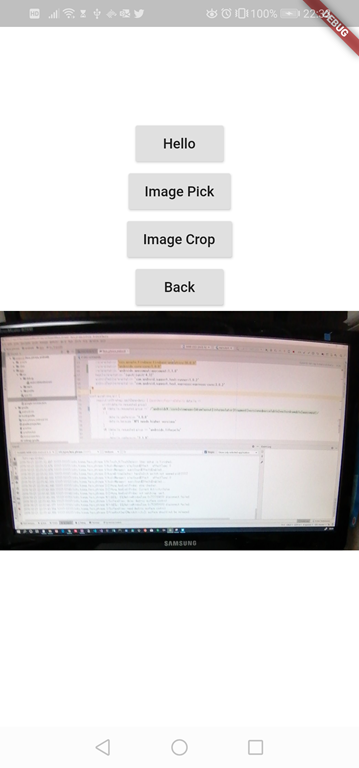
切り抜かれた範囲を画面に表示。OK!!
3.2 iOS
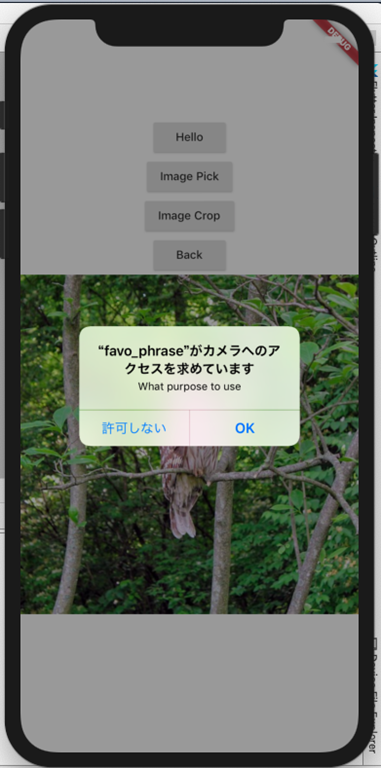
Android同様のことをiPhoneエミュレーターで。
特に変更はなし。
・・・エミュレータのため、カメラ起動できないようで、OKでエラーになるので、
var imageFile = await ImagePicker.pickImage(source: ImageSource.camera);
を
var imageFile = await ImagePicker.pickImage(source: ImageSource.gallery);
に変更して確認
Android同様に画像の切り抜きUIが起動。

Doneで、選択部分が画面表示された!

Flutterもエラーの嵐でうんざりしかけたが、AndroAndroidXの互換性対応で、何とか乗り切れそうか!?
macの操作がぎこちないので、本でも買おうかしら。