Xamarin.Forms ファイルをMultipartでPostする


1.ファイルのアップロード
GAE側で、Google Cloud Vision APIを使って、OCRを実行するAPIを作成 し、Xamarinでファイルを選択することが出来たので、APIに、Multipart Postでファイルを送信し、OCRの結果を得る。
https://docs.microsoft.com/en-us/dotnet/api/system.net.webclient.uploadfile?
この辺りを参考に。
private async void FilePick()
{
    var file = await CrossFilePicker.Current.PickFile();

    if (file != null)
    {
        byte[] fileBytes = null;
        using(MemoryStream ms = new MemoryStream()) {
            byte[] buf = new byte[1024 * 16];
            int read;
            var inputStream = file.GetStream();
            while ((read = inputStream.Read(buf,0,buf.Length)) > 0)
            {
                ms.Write(buf, 0, read);
            }

            fileBytes = ms.ToArray();
        }
        if (fileBytes != null)
        {
            string uri = "https://favophrase.com/api/upload-file";

            HttpClient httpClient = new HttpClient();
            MultipartFormDataContent form = new MultipartFormDataContent();

            form.Add(new StringContent(file.FileName), "fileName");

            form.Add(new ByteArrayContent(fileBytes, 0, fileBytes.Length), "file", file.FilePath);
            HttpResponseMessage response = await httpClient.PostAsync(uri, form);

            response.EnsureSuccessStatusCode();
            httpClient.Dispose();

            string sd = response.Content.ReadAsStringAsync().Result;

            await Page.DisplayAlert("Uploaded File.", sd, "OK");
        }
    }
}
2.実行結果
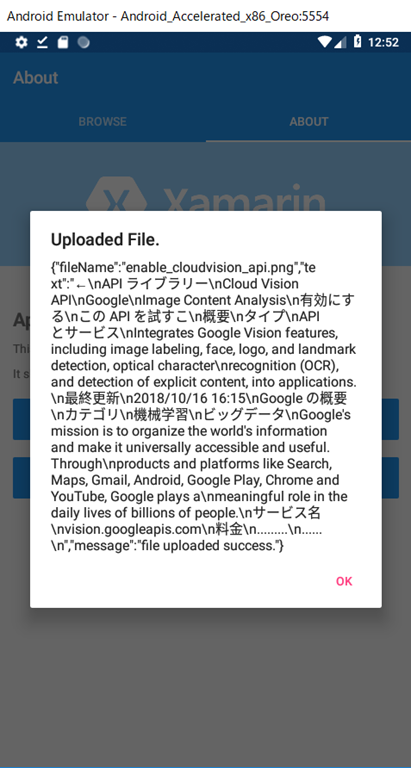
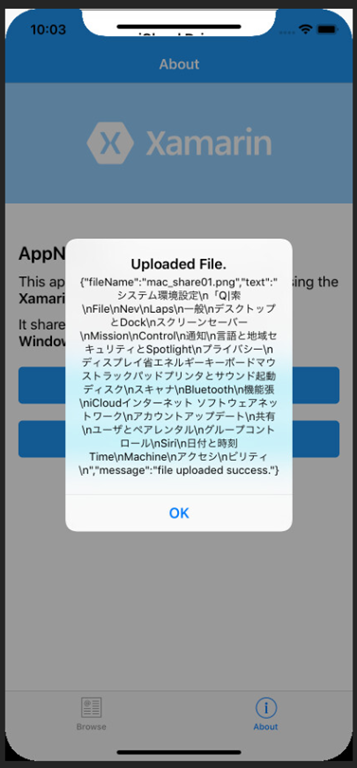
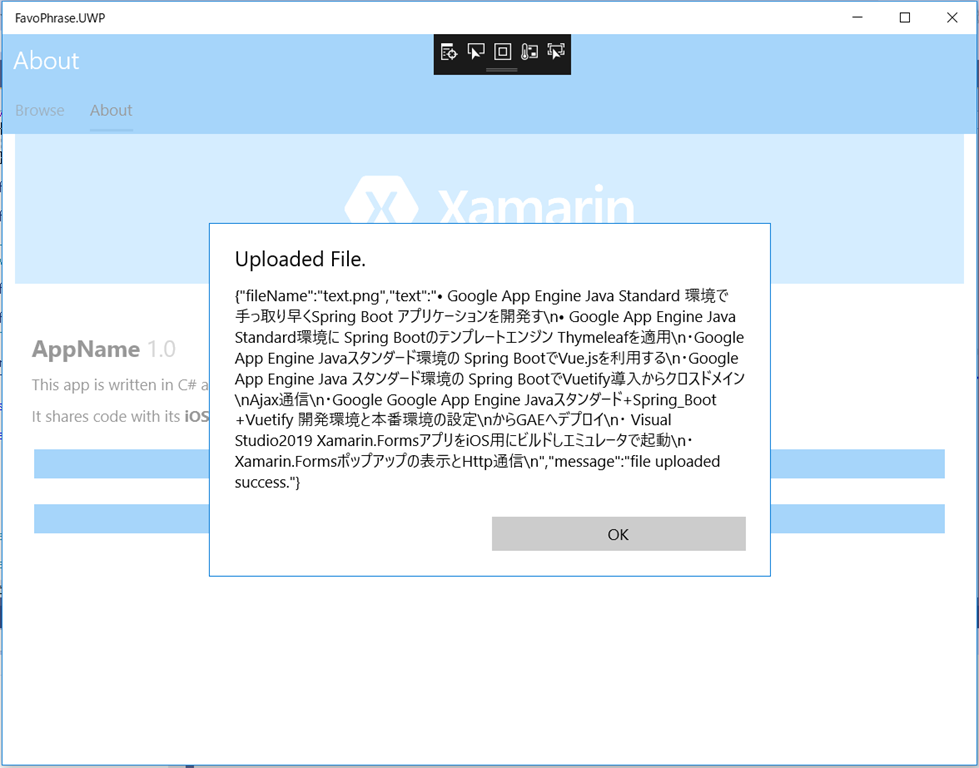
Android,iPhone,UWP にて、それぞれ、ファイル選択から、ファイルアップロード、OCRの結果を表示できた。
いい感じ。